
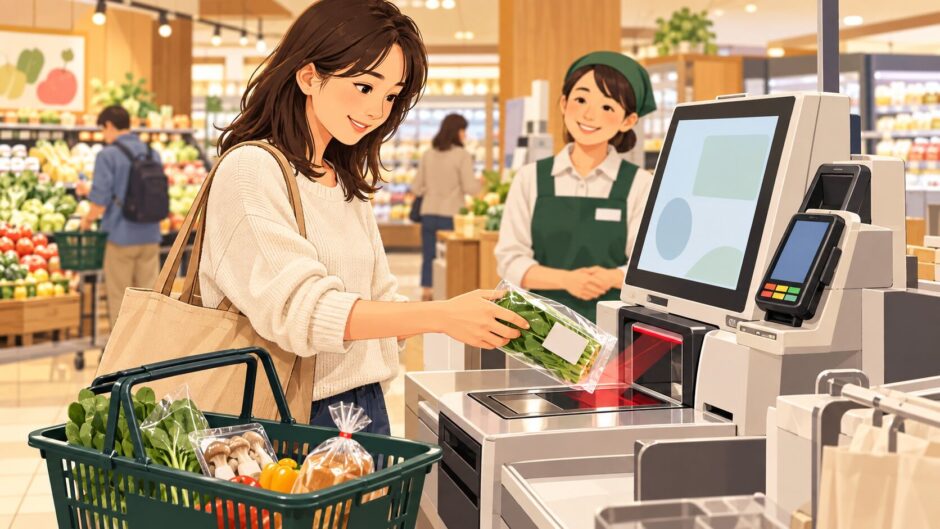

You reach a supermarket checkout and the screen is in Japanese. First identify the lane: at a セルフレジ you normally scan your own items and pay; at a セミセルフレジ a staff member scans the items and sends you to a payment machine. The exact buttons, accepted payments and bagging steps differ by store and machine. Follow the screen in front of you, and ask a staff member when an item will not scan.
Japanese checkout words to recognize
| Japanese | Reading | Meaning | What it tells you |
|---|---|---|---|
| セルフレジ | serufu reji | Self-checkout | You scan and pay yourself on many systems. |
| セミセルフレジ / 精算機 | semi-serufu reji / seisanki | Staff scanning, separate payment machine | Wait for the cashier to finish scanning before paying. |
| 商品をスキャン / バーコードを読み取る | shōhin o sukyan / bākōdo o yomitoru | Scan item / read barcode | Present the product’s barcode to the scanner. |
| バーコードのない商品 | bākōdo no nai shōhin | Item without a barcode | Look for an on-screen product menu or call staff. |
| レジ袋 / 袋は必要ですか | reji-bukuro / fukuro wa hitsuyō desu ka | Shopping bag / Do you need a bag? | Choose the bag option if offered. |
| お会計 / 精算 / お支払いへ | okaikei / seisan / oshiharai e | Checkout / settle / proceed to payment | Tap after checking all items. |
| お支払い方法 | oshiharai hōhō | Payment method | Select one accepted by this machine. |
| 現金 / クレジットカード / 電子マネー / コード決済 | genkin / kurejitto kādo / denshi manē / kōdo kessai | Cash / card / electronic money / code payment | These options vary by store. |
| 確認 / 戻る / 取消 | kakunin / modoru / torikeshi | Confirm / back / cancel | Read the current screen before tapping. |
| 店員呼出 / 係員をお呼びください | ten’in yobidashi / kakariin o oyobi kudasai | Call staff / Please call an attendant | Stop and get help rather than guessing. |
| レシート / おつり / お忘れ物にご注意ください | reshīto / otsuri / o-wasuremono ni go-chūi kudasai | Receipt / change / check your belongings | Collect what the machine dispenses. |
First, identify the type of register
At a full self-checkout, you generally scan each item’s barcode, review the item list, choose payment and complete it yourself. A semi-self-checkout separates the tasks: a cashier scans your groceries, then you pay at an assigned machine. Retailers use other systems too, including shopping apps or carts that scan items while you shop. For example, AEON describes staff-scanned semi-self-checkout alongside its scan-while-shopping RegiGo system. Treat a store’s signs and staff instructions as the guide for that particular visit.
At a full self-checkout: a practical sequence
- Look at the lane sign and accepted payment marks. A machine may be cashless only. If you are unsure, ask before scanning a full basket.
- Choose the bag option if the screen asks. If bringing your own bag, follow the machine’s placement instructions; some systems monitor the bagging area.
- Scan one item at a time. Wait for it to appear in the on-screen list before moving to the next. Scan the product barcode, not a discount sticker or a shelf tag, unless the store’s instructions specifically say otherwise.
- For produce or an item without a barcode, follow the on-screen menu. If you cannot identify the exact product, call staff. Do not choose a similar-looking item just to proceed.
- Review quantities and discounts. If an item appears twice, a markdown is missing, or a coupon does not apply, stop before paying and ask for help. Coupon steps are especially store-specific: AEON’s app FAQ gives a separate scanning procedure for its own checkout systems.
- Choose お会計 or お支払いへ, then pay. Follow that machine’s prompts for cash, card or another offered method. Take the receipt, change and all your items before leaving.
Some machines ask for staff verification, especially when an item is not recognized or a transaction needs correction. An alert is a request for assistance, not a reason to keep rescanning.
At a semi-self-checkout: wait for the payment machine
Put your basket where the cashier indicates. After scanning, the cashier may direct you to a numbered machine or transfer the transaction to one. Check that the amount shown is for your basket before selecting a payment method. Finish payment and collect your receipt, change and groceries. The exact transfer can differ between systems; TRIAL’s payment instructions, for example, note that even the card-reading method at its semi-self-checkout can vary by machine.
If something goes wrong
| Situation | What to do | Useful Japanese |
|---|---|---|
| The barcode does not scan | Try the product barcode once more as directed; then call staff. | バーコードが読み取れません。 Bākōdo ga yomitoremasen. — The barcode will not scan. |
| You scanned twice | Do not pay yet. Ask staff to check the list or remove the duplicate. | 同じ商品が二回入っています。 Onaji shōhin ga nikai haitte imasu. — The same item appears twice. |
| The discount is missing | Show the sticker and the on-screen item before payment. | 値引きが反映されていないようです。 Nebiki ga han’ei sarete inai yō desu. — The discount does not seem to be applied. |
| You need help with the machine | Use 店員呼出 if shown, or speak to the nearby attendant. | 操作を手伝っていただけますか。 Sōsa o tetsudatte itadakemasu ka? — Could you help me use this? |
If you have not paid, do not walk away with the basket because the screen looks finished. Look for a completed-payment message and take the receipt. For reading shelf prices and stickers before you reach the machine, see our Japanese supermarket price-tag guide. Our broader grocery shopping guide covers baskets, food labels and packing counters.